Showing posts with label rom. Show all posts

[ROM][Nexus 10] PARANOIDANDROID 2.99.9r5 [AOSP 4.2.1 Base - Nexus 10] [Hybrid] 01-JAN-2013

Thursday, 3 January 2013


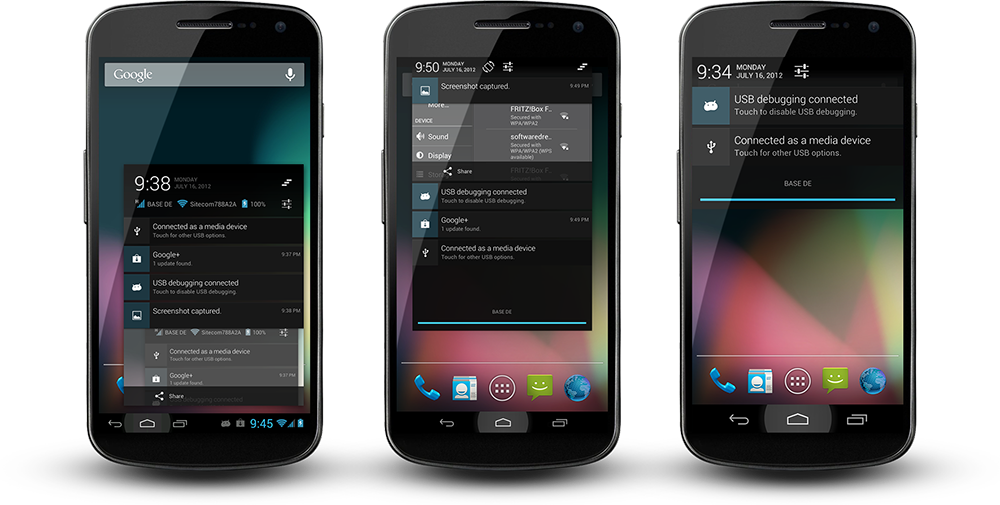
ParanoidAndroid for AOSP 4.2.1


Work in Progress
  • Before you go any further, 4.2 still has a quite a few bugs that need to be resolved by Google. You can read about some of them HERE
  • This is a blind build depending on the community for testing, so YMMV. Please make sure you have backups for anything you don't want to lose.
  • Caution is advised. No promises this will not eat your device and take over your home.
  • Google apps are not official, this is a community hack, we have tested all apps but you could still encounter issues.
  • This is a preview of what is to come. we are working hard to tame 4.2, which brought significant changes and bugs.
  • Do not ask about CyanogenMod features. We will add more features in version 3.x, when we have a 100% stable base.
  • I don't have this device (yet), so I am relying on the community for feedback to identify issues. If you have an issue please make sure it is repeatable, capture logcat/dmesg, etc and post to pastebin or similar.

Installation
  • Update your recovery to the latest version. Pre 4.2 recoveries can mess up your sd card/storage. We recommend TWRP.
  • Download pa google apps: http://www.mediafire.com/?46ay9h6xjr5m7un
  • Download rom: http://www.mediafire.com/?nj8jyuo7h6n0yqt
  • Perform a factory reset in recovery, unless you are already on PA 2.99+
  • Flash ROM first, then gapps
  • Wipe dalvik & cache
  • Reboot and wait, first bootup can take a little time
  • Enter your Google account info, press home when you encounter the black screen
  • Please do not restore system apps, system data and Google apps. This can cause bootloops and other problems due to mismatches coming from CM to AOSP and moving from Android version 4.1.2 to 4.2

Features
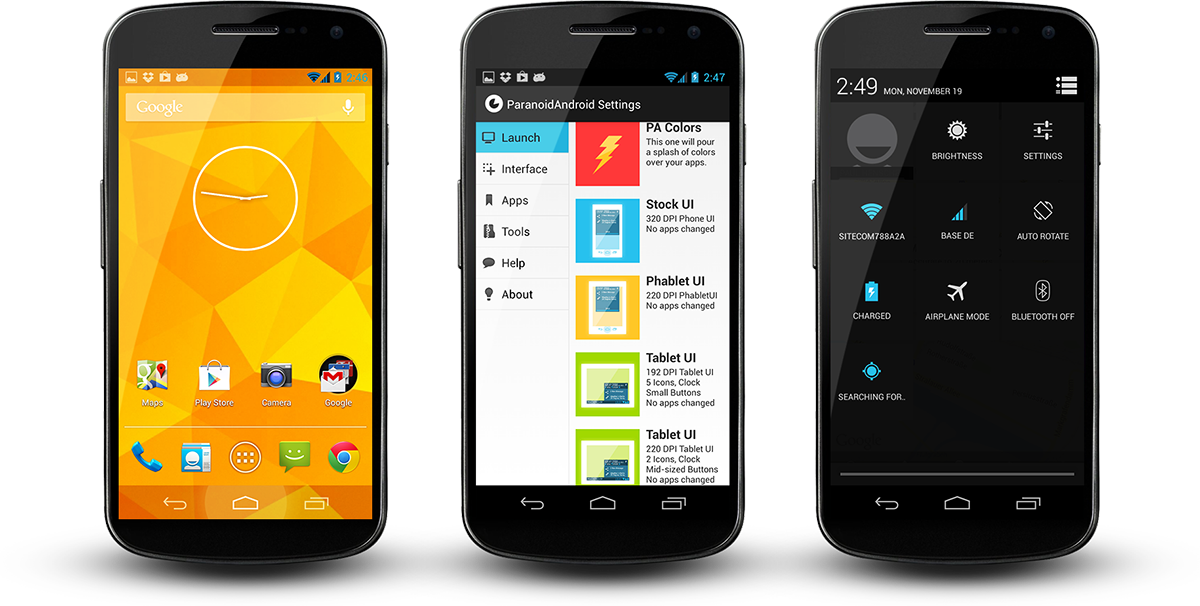
  • Hybrid engine ported, Per App DPI and Per App Layout
  • Tablet UI back from the dead
  • Per app color
  • Quicksettings -> Quicktoggles (first draft, more to follow)
  • New recents implementation
  • We fixed the aosp lag in the recents view, well, most of it
  • New SystemUI Icons that can cope with transparent bars, thanks go to John Xionidis
  • See through Lockscreen is back
  • Transparent bars + Launcher2 modified to cope with it
  • 4.2 Walls and Sounds
  • Google stock apps
  • Extended Desktop


PER-APP-DPI/LAYOUT
This is not tablet mode! Hybrid engine allows you to target apps individually. You get to pick their actual layouts which can tranform content drastically. Keep in mind, this has nothing to do with build.prop hacks or DPI changes. We list all layouts an app brings, you choose one, its as easy as that. It does not matter if your device runs itself in Phone-, Phablet or Tablet-UI, your apps will always look as you like. On top of that you can scale apps, to fit your screen, that way you can even bring full fledged tablet apps and make them run perfectly. Nothing will break, nothing will shrink, your market will be fine. Additionally we have rewritten many parts of the android framework and fixed countless of AOSP bugs to make way for these modifications - our "tablet mode" runs better on a phone than on a real tablet, that is guaranteed.



PER-APP-COLOR
ParanoidAndroid's newest invention. Define apps in your regular hybrid panel. See your phone fade into the color definition of your current app, press home or go elsewhere and it fades back. Create as many combinations you like, you can even dabble with opacity. This feature is made possible by our hybrid engine, which is unique to this rom.

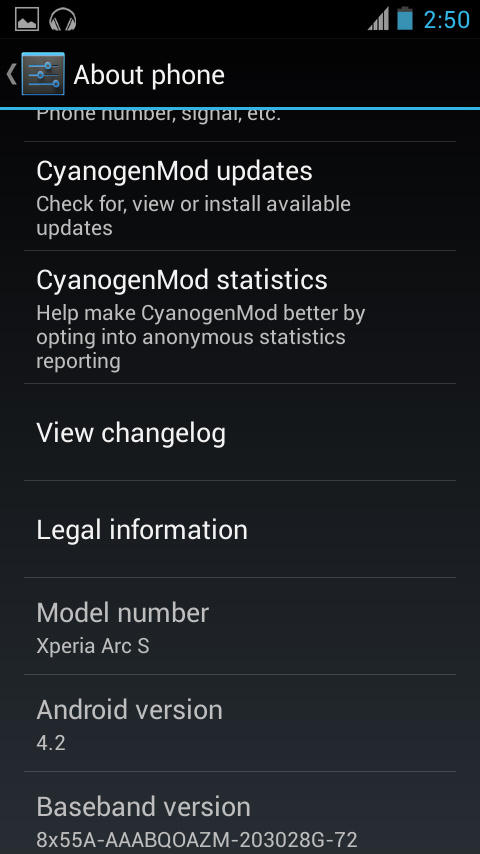
[ROM][Arc/S][JB][4.2][WIP]Unofficial CyanogenMod 10.1 Alpha Build [Alpha 1]

Wednesday, 28 November 2012


Code:
#include 
/*
 * Your warranty is now void.
 *
 * I am not responsible for bricked devices, dead SD cards,
 * thermonuclear war, or you getting fired because the alarm app failed. Please
 * do some research if you have any concerns about features included in this ROM
 * before flashing it! YOU are choosing to make these modifications, and if
 * you point the finger at me for messing up your device, I will laugh at you.
 *
 * Submitting bug reports on nightly builds is the leading 
 * cause of male impotence.
 */


This An Alpha Preview Based On CM10.1 CyanogenMod with FXP Sources
Is not intend for daily usage yet due to there's bug for using it
As i mention on a post earlier 
"I work on this for "free" as well spending all times,electricity & my precious data bandwidth that exhausted already
As far all the community of Xperia Arc should have know that i doesn't own a Xperia Arc anymore for testing
Don't give your ridiculous comment,i don't need it here,if you want to help,may submit bugfixes/no eta's/donating for me(Get Arc Back/Upgrading my old litle pc for faster work)
Report Using Proper Method"


Working
  • Booting
  • Touchscreen
  • Wifi
  • Ril 2g & 3g
  • SMS/MMS
  • Accelerometer
  • Sensor
  • Audio
  • Headphones
  • Superuser
  • Apps & Games
  • Led?
  • Hardware Keys
  • Root & Superuser
  • USB Connection
  • Mass Storage (Sdcard)
  • Others

Not Working:
  • Bluetooth
  • Camera
  • Anymore? Please Report(Don't get to test as i need to return the device)


First time installing CyanogenMod 10.1 to Arc/S another ROM:
- Make sure you're running bootloaders unlocked
-Flash the Boot.img provided (Don't flash other boot.img because is different)
- Copy GApps and CM10.1 ZIPs to your internal SDCard
- Boot into Recovery
- Flash CM10.1 zip from internal SDCard
- Flash GApps zip from internal SDCard
- DO A DATA WIPE / FACTORY RESET (otherwise your device will be stuck at boot)
- Reboot
- Don't restore system data using Titanium Backup!
- Restoring Apps + Data might cause problems and is not recommended, avoid it if possible!


Credit
FXP : Source 
CM Team : CM10.1
Arc Fusion for zimage
For Anyone Who Use/Kang do give proper credits
If i missed anything just tell me

Helping Out? 
submit bugfixes/no eta's/donating for me(Get Arc Back/Upgrading my old litle pc for faster work)


Changelog :
Alpha 1 
Initial Release
-Fixed RIL 2g/3g
-Reworked build
-Most of the thing should work


Download :
Alpha 1
Click adverts/donate to dev for more goodies 
(admin)

[ROM][Arc/S][+PRO]|C.A.M.P.S+™|CM10ÏŸ|AOKPÏŸ|Paranoid?ÏŸ|MiUiÏŸ|SonyÏŸ|V04ÏŸ|12/11/2012|UPÏŸ

Sunday, 11 November 2012


Welcome to C.A.M.P.S+ Rom featuring all latest Jellybeanny 4.1.2 features which now source build from PAC ROM Source & Mixture of other goodies
Featuring CyanogenMOD_AOKP_Miui_P?_Sony(New) Android in a single rom.
Well if you like my rom you can enjoy using it & click thanks
(Maybe some donation to cover up cost for me to repair my xperia arc camera)
Also to all whom involved in the P.A.C Rom over credits
If you dislike this rom,you may leave and get better one rather then complain.
I already state on the faq..ahh..remember to read the FAQ as well.
If you have any jealous and noob question do take to your mama..or else will be reported.


Also Featured on the XDA Portal : Here*

NEWS
Due to a request from PA Team to take down ParanoidPreferences, from v16.1.0 forward I exclude ParanoidPrefereances.apk from the ROM.
Quote:
Originally Posted by D4rKn3sSyS
Hi, are you the leader of PAC ROM (Otherwise, please forward this PM to leader of it)?, I recently saw you're using our ParanoidPreferences application, wich is a closed source app, meant to be used on official ParanoidAndroid ROMs / Ports only. I ask you please then, to remove it from your builds. I can offer you this opensource alternative found on our ics branch for Settings app:
https://github.com/ParanoidAndroid/a...tings/paranoid
You should spread the word around XDA PAC roms, as well, so all the builds remove it from the package.
Thanks in advance.
Cheers,
D4.
But the framework still support it, so if you still want to use PA settings, then get it somewhere else & use it at your own responsibility.
Do not put a link to ParanoidPreferences,apk in this thread !!! do it somewhere else.


Quote:
To be honest, this is not tablet mode at all, it has nothing to do with silly build.prop hacks. This is the first and only Android rom to feature true Hybrid mode. This rom lets you scale and project every app, every widget, even systemcomponents individually. Remember, android is modular, everything is an app: Lockscreen, navigationbar, dialogs, popups, keyboards, widgets, and your regular apps of course. Apps have the capability to switch into various designs or layouts according to the device they run on. This can result in a complete new experience as many apps will transform to the better.
Now for every element that you like chose a mode (PhoneUI, Phablet/Nexus-7UI, TabletUI) and/or a size. You are 100% independent of the system DPI which runs nicely in whatever value it has been assigned to. You do not need to boot your phone into a certain DPI. Neither will most of the changes you apply require a reboot. You will not suffer from the myriads of troubles which normally haunt you under build.prop tablet mode. Your market, phone, etc. will all work, apps won't shrink on you unless you shrink them yourself. This project will entirely transform your device, but retain the aesthetics and the feel of your phone.
Feedback On Post #4


C.A.M.P.S+: Xperia Arc/Arcs
Quote:
  • Boot
  • Touchscreen
  • ParanoidAndroid Features
  • MIUI Goodies
  • AOKP Featues
  • Multi-switchable view either vanilla/miui/anything 
  • Wifi
  • SMS & MMS
  • Calling 2G&3G
  • Bluetooth
  • Accelerometer
  • Camera Recording 720p
  • Camera
  • Audio
  • Video
  • headphone
  • Superuser
  • Installing Apps
  • GPS
  • Virtual Keys
  • Led
  • Brightness
  • Sensors
  • Root
  • USB OTG
  • Charger
  • UMS USB Connection
  • Browser
  • Other's
  • Xperia Launcher
  • Xperia Walkman
  • Xperia Widget's
  • Beats Audio
  • MIUI Music/Explorer/LBE Guard(Security)/MiuiVideo
  • Miui Launcher(FreeLauncher Supported)


Quote:
  • Download the CAMP-Anzu_SnapSeries_Signed_ideosdevzack.zip from the release link that follows
  • Fastboot the kernel included on the build(Arc Fusion) or fastboot this kernel recommended LupusJB
  • Backup your /data contents: contacts, apps, sms, etc. or backup via recovery
  • Move the CAMP-Anzu_SnapSeries_Signed_ideosdevzack.zip to the root folder of your sdcard.
  • Enter CWM and:
  • - Select 'backup and restore -> Backup'
  • - Select 'wipe data/factory reset' (MUST DO)
  • - Flash the zip. To do this, Select 'install zip from sdcard -> choose zip from sdcard' and select the PAC-Anzu_SnapSeries_Signed_ideosdevzack.zip
  • - Flash gapps if you want them!
  • Reboot (first boot will take ~2 mins)


Quote:
Disclaimer : I'm not responsible if this ROM bricks your lovely phone. Use it at your own risk!
| Do Read FAQ at Post #2 |
Credit to people that you use the build 
Quote:
Download
C.A.M.P.S+ V04
SUPPORT BY DONATING TO OUR DEV /CLICKING OUR ADVERTS
Do NOT mirror or Links Without Permission and Strictly No Eta's
v03
v02
V01


Code:
  1. C.A.M.P.S+ v04 XX/11/2012
  2. Tweaked and fine tuned some setting
  3. Rebased Completely Using Lupus Kernel (More stable & proper on FXP145/146 Source)
  4. P.A.C Sources V16.1.0
  5. Panaroid Setting Removed but still having it on the background.
  6. AOKP JB MILESTONE-1
  7. Latest CM10 4.1.2 FXP146
  8. 8MP Camera
  9. Fully Working Wifi
  10. Settings: Remove PA version, PA Logo activity, PA Circus
  11. Settings: Add PAC version, PAC Logo Activity, PAC Circus
  1. C.A.M.P.S+ XX/10/2012
  2. Removed Alot Stuff
  3. Arc Fusion Kernel 3.6 (include wifi module)
  4. Based ON P.A.C V15
  5. Panaroid 2.23

New firmware (7.0.A.3.197) lands on some Xperia TX handsets

Monday, 5 November 2012


A new firmware update (7.0.A.3.197) is now available on some Sony Xperia TX (LT29i) handsets. The update appears to be available to Vietnamese users, but we’re not sure what improvements it brings over the 7.0.A.3.195 firmware version that is currently available on the Xperia T (LT30p). If anyone else has downloaded this firmware version from other countries then let us know in the comments below. 
Thanks vnSony!

[ROM]GingerLeWa|V02|LeWa OS|Unofficial SnapSeries|CM7.2 | nAa14/Alfsv08a [28/9/2012]

Thursday, 27 September 2012


Version V2.0 Just Have Linked to Download
This Is The Lewa Os (Frog Logo)
Which Is One of China Leading Android OS After MIUI
Fully Customizable like MIUI
This Is Based On Latest CM7.2 & nAa Kernel & AlfsV08A Kernel Only

This is an Unofficial SnapSeries


Features:
  • Gingerbread 2.3.7 CM7.2
  • Support nAa & Alfs (V08a For Now)
  • WiFi, BlueTooth, USB, Sensors, 3D, Video, FM Radio, Camera, Rooted, JIT
  • Smooth UI
  • Latest Adreno 200 Driver
  • Overclockable
  • Fully Customizable UI
  • MDPI
  • In Built Power+ (Battery Management)
  • Intercept (Own Guard)
  • Fully Working Camera
  • Latest Google Play
  • More at Changelog

Requirement :
  • Latest 2.1.1.A.0.6/2.1.1.C.0.0 SE firmware / Baseband: M76XX-TSNCJOLYM-53404015
  • Unlocked bootloader
  • Latest version of the nAa-14 / AlfsV08a

Installation
  1. Download the ROM
  2. Make Sure That You installed appropriate kernel for the rom
  3. Copy the ZIP to Memory Card
  4. Start CWM
  5. Make a Full Wipe (factory reset, mount & storage > format /system, advanced > Erase Dalvik cache)
  6. Start the install
  7. Reboot


Credit
Zackconsole : Helped A lot on guiding & (Answering My Dumb Question) helping me on this(Great Thanks to Him)
nobodyAtall : MiniCM7 & nAa Kernel
alfsamsung & djnilse : Alfs Kernel
Lewa Os China : For their awesome & cool operating system
Other's I missed out

Disclaimer
I'm not responsible if this ROM bricks your lovely phone. Use it at your own risk!
If you dislike my work do checkout and use other rom which suit you better
I won't answer any relevant question.
Do Not Copy My Rom or Any Part Files For Any other purposes.
Respect My Work and Do Ask For Permission!
If you like my work do press thanks
Changelog :


28/9/2012
Version V01.1
  1. Deoxeded
  2. Google Play Fixed
  3. More faster booting
  4. Now it's unofficial build of snapseries
  5. Rebased some apk from newer version of LEWA OS From Ace
  6. FM Added

23/9/2012
Version V01.1
  1. Remirrored
  2. Removed Torch(donot need tis because X8 doens't have flash)
  3. Updated With Google Play and Googel Framework
22/9/2012
Version V01
  1. Based On LeWa_ROM_Cooper_12.09.14_b8050
  2. Initial Release
  3. Chinese & English (Default) No Multilang for now
  4. Added Latest Google Play(Flash Hotfix)
  5. Fully Working Apps
  6. WIFI Fixed
  7. Dialer Force Close Patch
  8. Theme doesn't apply fixed
  9. ROM Sized Around 80MB
  10. Latest CM7.2
  11. Tested On Alfs & nAa Kernel
Download (Support By Clicking Advert or Donating to our dev)
V02 28/09/2012
V1.1 23/09/2012 (DXDA)
No Mirroring My Rom!


How To : Update Zopo ZP100 to ICS (MediaTek MT6575)

Tuesday, 25 September 2012


Files needed
ICS ROM (b79):
http://narod.ru/disk/48456521001.eee...14151.rar.html

Root:
http://files.dangerd.org/pub/ZP100//...OT%20by008.rar

Flashtool:
http://narod.ru/disk/44888871001.eec...06.01.zip.html

USB Drivers (and a flashtool I didn't use):
http://chinamobiles.org/downloads/zap/ZP100fix.zip

CWM Recovery:
http://files.dangerd.org/pub/ZP100//recovery.img

First of all: Make a note of your IMEI-number(s)

Download the files and unpack all (in seperate folders).
Shutdown the phone and plug it in via USB, Windows will search for a driver which you find in the package ZP100fix.zip (different inf-files depending on windows version).

Unplug phone, remove the battery.
Replace the recovery.img from the ICS ROM with the one downloaded seperately.
Start flashutil.
Load Scatter-file: MT6575_Android_scatter_emmc2.txt
Make sure that Options -> USB Mode is selected.
Click Download
Connect phone (still with no battery, at least I had to leave it out).
Flashing begins.

When all is done it displays an "OK window".
Now reboot the phone and when booted connect to USB again and run Root.bat from the package: zopo zp100 4.0root by008"
Follow on-screen instructions.

I did not need to install any separate Google Apps, it was included in the ROM.

Now you need to add some IMEI-numbers to your phone.
In the original ROM I could only ever see one IMEI for my zp100, so I wrote that down.
IMEI2 I took from an old Nokia I hadn't used for a few years.

Use terminal app or adb shell or whatever to execute the following (replace IMEI_1 and IMEI_2 with your IMEI's):
echo 'AT + EGMR = 1,7, "IMEI_1"'> /dev/pttycmd1
echo 'AT + EGMR = 1,10, "IMEI_2"'> /dev/pttycmd1

Update: Zopo IMEI Tool in English can be downloaded from here: http://depositfiles.com/files/wi41lcuvb (should eliminate the need for the terminal-hack above). If the system language on your phone isn't set to English the utility will be displayed in Chinese by default, so setup your phone to use English before running it.

If you want your external sdcard mounted as /sdcard (/mnt/sdcard) instead of /mnt/sdcard2 you have to replace the /etc/vold.fstab with the following:
http://www.cactuz.net/files/zp100/vold.fstab
Use root-explorer (make a backup of the old one) to replace it, then shutdown your phone and remove the battery, then plug it all back in and start again and your external sdcard shoudl be mounted on /sdcard (/mnt/sdcard) instead.

Hope this helps.
I'll report back here with any bugs etc.

To use RecoveryMod I have to chose it from the menu in MobileUncle Tools or ClockWorkMod Rom Manager, I have not been able to boot to CWM using VolUp+Power.

[ROM] FIRMWARE STAR N9770 DUAL CORE MT6577/ulefone N9770.


STAR N9770 DUAL CORE MT6577/ulefone N9770.
CUSTOM RECOVERY
https://rapidshare.com/files/4163487...m_Recovery.zip

CWM
https://rapidshare.com/files/3326837...annozaurus.zip

FLASHTOOLS AND DRIVERS
https://rapidshare.com/files/3354053...ols_driver.rar

FIRMWARE 13/07/2012 Thanks kylie 1965
https://rapidshare.com/files/2757089...p017.N9770.zip

STOCK FIRMWARE 4.0.9
I have received this today from my supplier of device n9770 dual core
https://rapidshare.com/files/2825524...-2012-0712.zip
http://www.mediafire.com/?eyci9chr527chu9 10/08/2012 latest for devices running 5647 firmware only

MODIFIED STOCK FIRMWARE WITH CUSTOM RECOVERY
http://www.mediafire.com/?n5lwe938yaxk3n7

latest firmware N9770-20120725_e1809 c_v77_gq1008_5647.zip 25/07/2012
Will fix back camera issues due to additional sensors in device.

http://www.mediafire.com/?2fcalamvy7hvlyo

[ROM][XPERIA S] [ICS] XcreaM-3.11 (04.09.12) Stable Highly and easily customisable [AROMA]

Saturday, 8 September 2012


This is the last XcreaM rom made by c3ma138 On frandroid.


The characteristic of this rom is that any user can submit an idea of improvement.
the team XcreaM decide if it's a good idea and if it's possible. and we start improve.


The first versions were available on the french forum (frandroid), 
but english users asked us to translate the rom in english, so here we go!


Spécifications:
- This rom is based on the last 2.45 firmware
- It's highly customisable
- Xcream application -> Simplify your life (french and english versions)


Screenshots:


Changelog:


XcreaM 3.11
-fix poweramp issue

XcreaM 3.1
-fix honeycomb battery theme bug
-add customizer for the notification bar.

XCreaM 3
release
- Update to .45 FW
- New bootanimation (by freddy_krueger)
- Remove notification "Data OFF"
- Improve network quality
- Optimise statusbar 


XCreaM 2
UPDATE 3
- add new bootanimation (by CocoNat's)
- add few MOD in XCreaM app
- add few TWEAK in XCreaM app


XCreaM 2
UPDATE 2
- Made an XCreaM app for ROM detail and statistic
- Resize WIDGET enable


XCreaM 2
UPDATE 1
- add titanium backup root
- FIX issue when PHONE OFF CHARGING
- Reforging RECOVERY


XCreaM 2
RELEASE
- Update to .58 FW
- SWITCH to Xperia GX HOME
- SMOOTH and FASTER
- When you add a widget for 2nd time...no more LAG


Thank's to
-Sony
-C3ma138 for his hard work
-Freddy_krueger for the bootanimation
-Alex971 for his help to translate
-All XcreaM users who help us to make this rom better.


Download Link 

Xcream v3 (mediafire)


How to install XcreaM major update (v1, v2, v3...)
-Reboot into recovery
-Wipe data, cache
-Go to advanced and wipe dalvik cache
-Install zip from SD card
-Choose XcreaM 3.zip

How to install minor update ( v1.1, v1.2, ...)
-Go to Xcream application and look at the top, it will tell you if an update is available.
-Download it (the .zip will be download at the root of SDcard.
-Go into recovery 
-Wipe dalvik cache
-Installe update (named Xcream X Update X) (X=the number of xcream version)

[ROM][08 Sep][JB:CM10:HYBRID]PARANOIDANDROID EndeavorU v2.1


Wanna be up to date with ParanoidAndroid project news?, click here, and visit our webpage!


To be honest, this is not tablet mode at all, it has nothing to do with silly build.prop hacks. This is the first and only Android rom to feature true Hybrid mode. This rom lets you scale and project every app, every widget, even systemcomponents individually. Remember, android is modular, everything is an app: Lockscreen, navigationbar, dialogs, popups, keyboards, widgets, and your regular apps of course. Apps have the capability to switch into various designs or layouts according to the device they run on. This can result in a complete new experience as many apps will transform to the better.
Now for every element that you like chose a mode (PhoneUI, Phablet/Nexus-7UI, TabletUI) and/or a size. You are 100% independent of the system DPI which runs nicely in whatever value it has been assigned to. You do not need to boot your phone into a certain DPI. Neither will most of the changes you apply require a reboot. You will not suffer from the myriads of troubles which normally haunt you under build.prop tablet mode. Your market, phone, etc. will all work, apps won't shrink on you unless you shrink them yourself. This project will entirely transform your device, but retain the aesthetics and the feel of your phone.

DONATIONS
to Floatshow
to molesarecoming
to D4rKn3sSyS
to Cyanogenmod


  • CWM: Wipe Cache / Factory Reset IF you're NOT on 1.7 right now
  • CWM: Install Zip: Rom: Download
  • CWM: Install Zip: Gapps: Download
  • CWM: Wipe Cache Partition
  • CWM: Advanced/Wipe Dalvik Cache
  • Reboot
  • If you want to explore the various phone modes, tap "Configuration," chose an option, wait for it to finish, then do a manual reboot
VIDEO TUTORIAL : (thanks to ashwin123 !)


v2.10

ParanoidPreferences 3.0. Edit your workspace settings and much more (Fixed on v2.10)!.
system/user_default_dpi & layout finally possible, aswell as android.dpi. Combine them in any way you like. Even the lockscreen is scalable.
Hybrid bug hunting, fixed most of the bugs on Hybrid engine, cutoffs, etc is history.
Camera on tablet mode is displaying fine now
Included CM version on Settings > About together with PA version.
Fixed tablet notifications, they're perfect now. Added key dispatch (Close tablet notifications with hardware back button)
USB mount on all the workspaces (Tablet, Phablet, Phone)
CM latest merges and new features
New logos and PAWallpapers app (More walls on v2.10)!
Much, much, much more things, you can find them here
v2.00

Synced with CM and PA repos today
Camera app is here out-of-the-box (no need to flash a patch)
NFC working out-of-the-box (no need to flash a patch)
USB Mount menu in Tablet mode !
New bootanimation, etc...
v1.99

Built from source !
Fixed tablet settings view (powerwidget) on landscape
PA version in Settings > About
Panel fixes, new frameworks methods
Fixes and CM merges
v1.9.7

Latest CM10 and PA releases
Bugfixes
GPS fixed
v1.95

Latest CM10 build by tbalden
Latest PA files
Latest CM changes
MDJ's kernel, more stable
Probably quite few bugfixes, try and tell 
Jelly Bean RC1

New base : CM10 built by myself
Latest CM changes
Based on ParanoidAndroid v1.9.3
Theme engine !
RC3

Updated ROM with newest CM9 base (Alpha 10) and PA files (v1.5)
rx_wake fix (possible battery drain fix)
RC2

Fixed FC when opening About Phone in Settings
RC1

Fixed GSM
Fast & Stable !
Based on latest ParanoidAndroid release
Beta 1

Initial release
__________________

 
DroidXDA © 2012 | Designed by Bubble Shooter