Showing posts with label aosp. Show all posts

[AOSPA 4.2.1][NEXUS 4] PARANOIDANDROID 2.99 betaNINE.5 (dev) (Jan 02) |

Thursday, 3 January 2013


.


.INSTRUCTIONS,

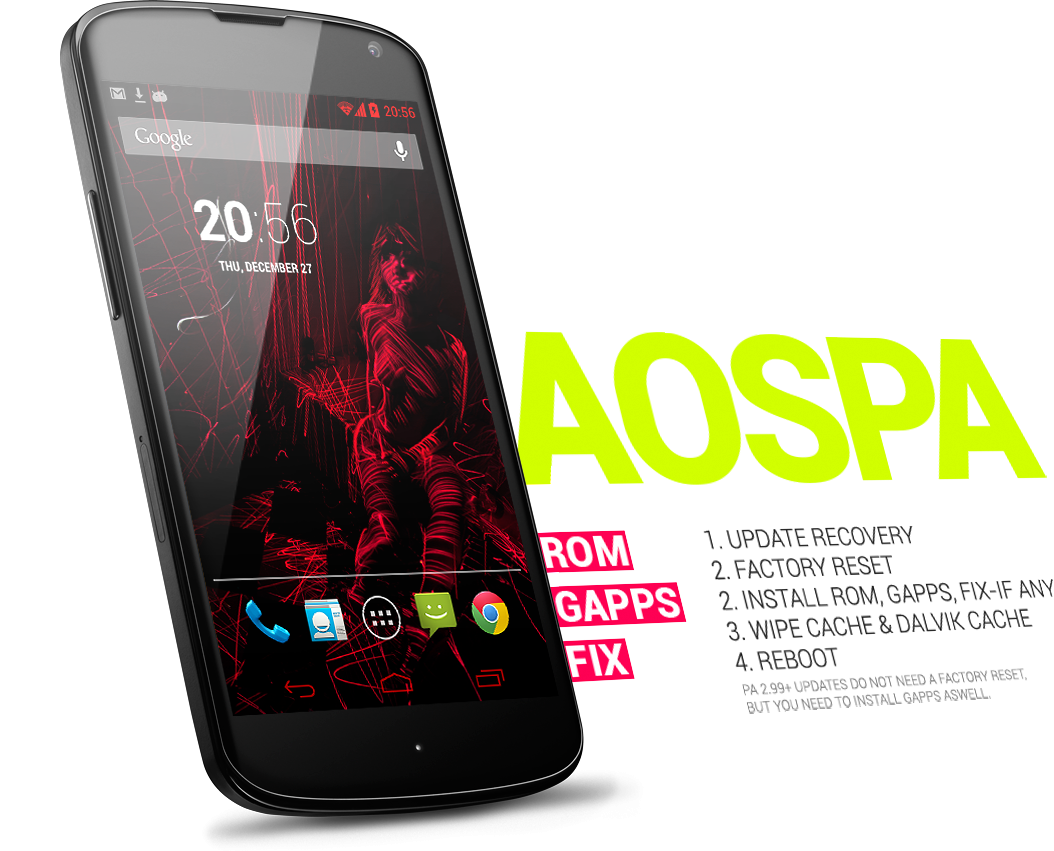
1. UPDATE RECOVERY
2. FACTORY RESET
3. INSTALL ROM, GAPPS, FIX-IF ANY
4. WIPE CACHE & DALVIK CACHE
5. REBOOT
PA 2.99+ UPDATES DO NOT NEED A FACTORY RESET,
BUT YOU NEED TO INSTALL GAPPS ASWELL.


FEATURES for 2.99,

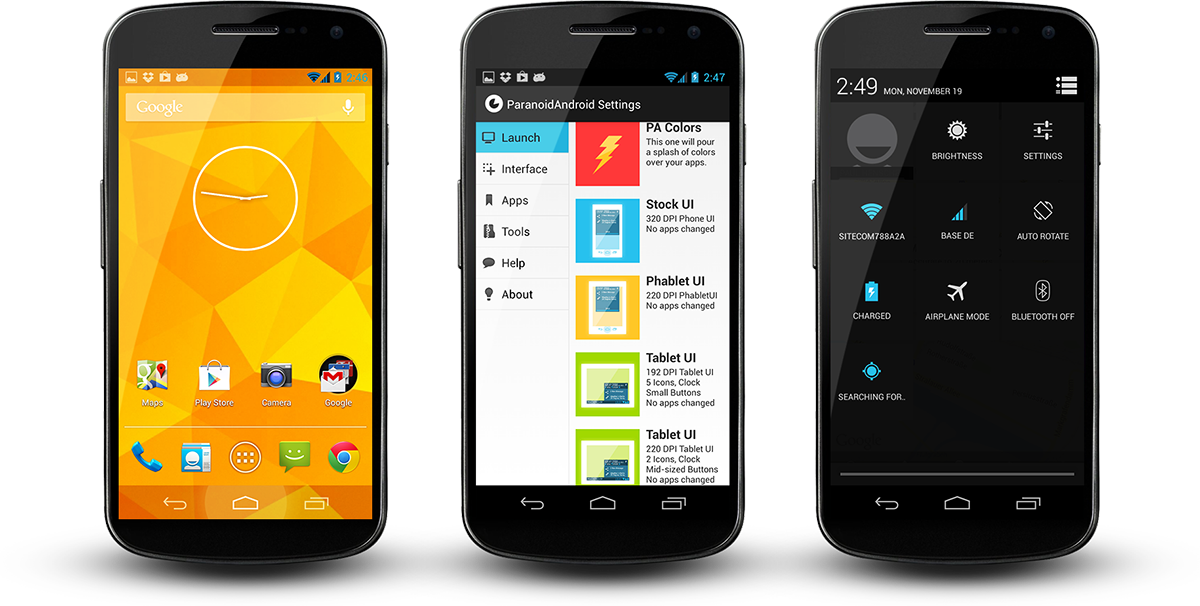
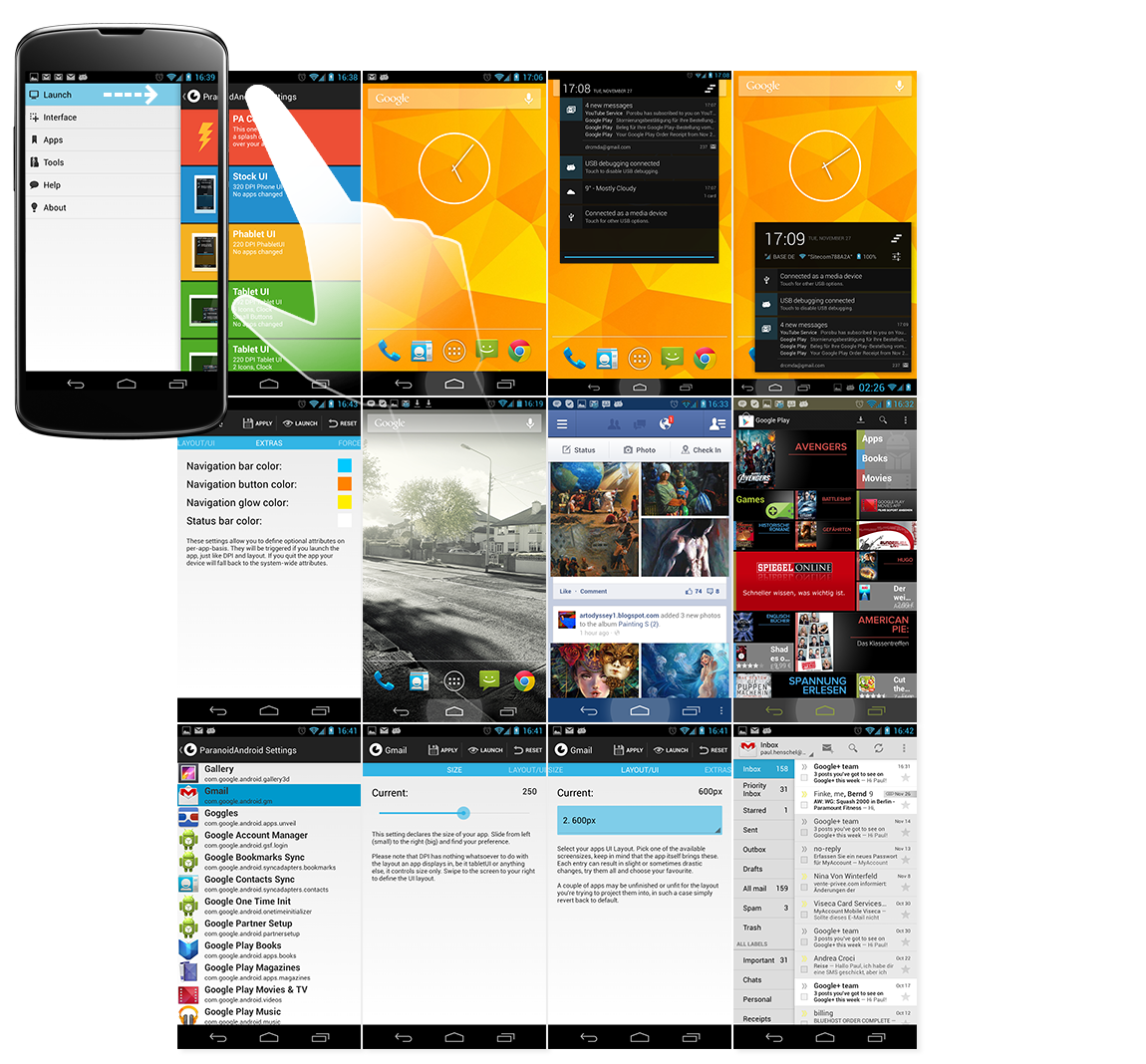
Hybrid engine +++ Per app Layout, this will let you choose the UI of any app,--
that means you can switch apps into their tablet layouts +++ Per app Size, scal
e apps individually, this is especially important if you use tablet apps, go as
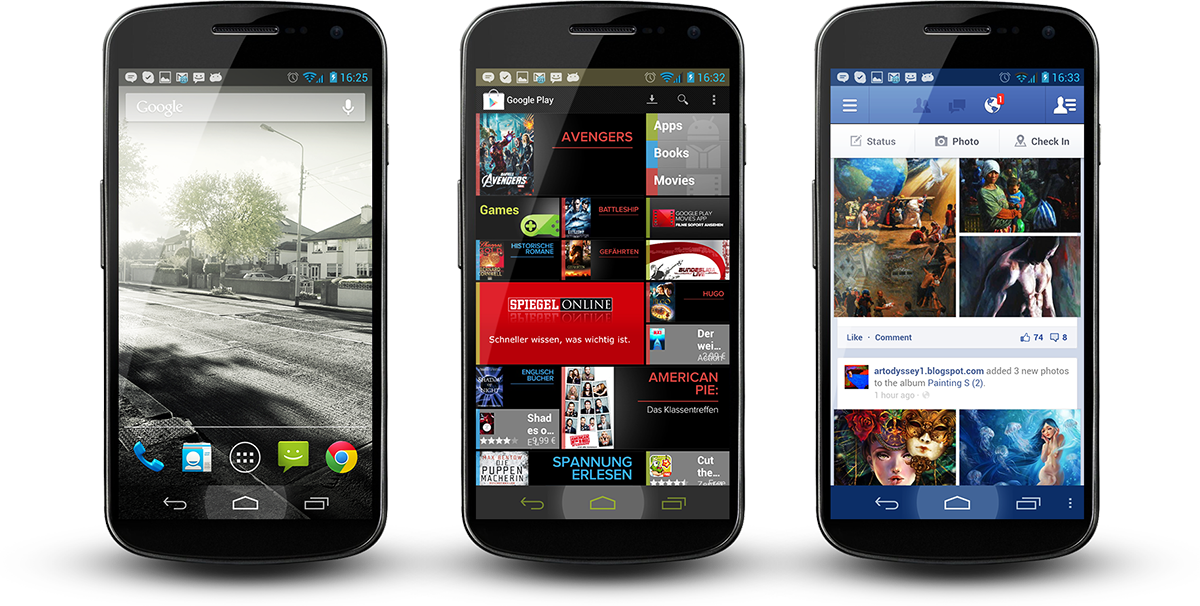
small or big as you like +++ Per app Color, this lets you select statusbar and-
navbar colors for apps individually, colors will shift when you jump from one a
pp to another +++ Hybrid engine makes it possible to use any tablet ready app--
available on your phone, start with your regular Google apps and see what treas
ures lie hidden in them and just how well they work on your device. +++ You can
use hybrid engine to use all available general interface UI's aswell: Phone, Ph
ablet, Tablet. This is safe as milk, we don't change DPI, we don't trash your m
arket, we don't shrink all your apps or force them into layouts, you don't need
to edit system files for that. +++ Transparent bars and color pickers, new Syst
emUI drawables thanks to giannisgx89 +++ Theming Engine +++ Statusbar Settings,
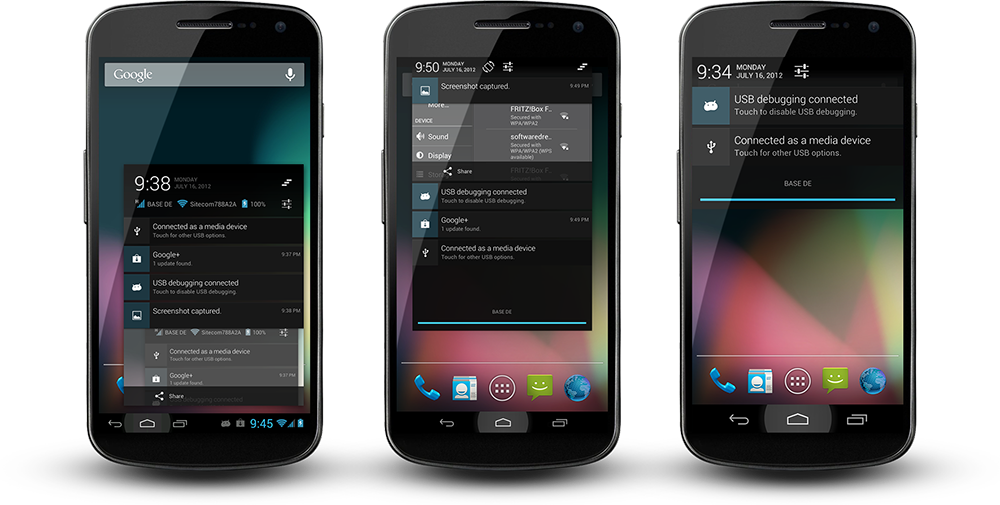
Lockscreen Settings +++ Multiuser support +++ Quicksettings -> Quicktoggles +++
4.2 Walls and sounds, Google stock apps As we merge back our old CMPA feature--
catalogue this list will grow considerably over the coming weeks +++ New holo-s
tyled theme chooser +++ T9 dialer +++ New papreferences app-----------------EOF

GALLERY,


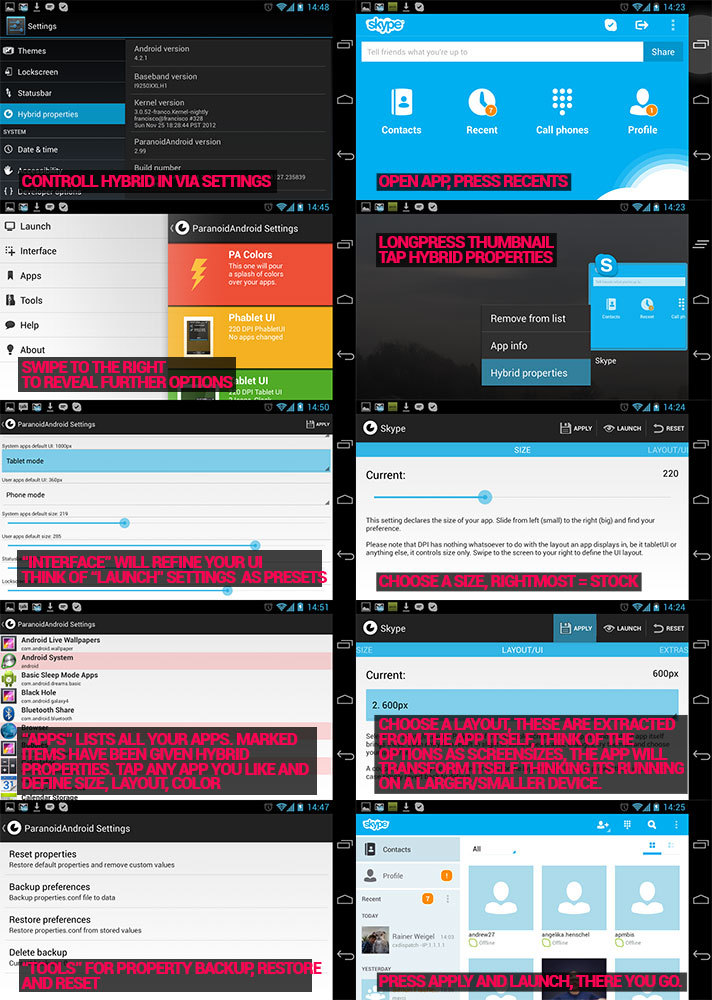
TUTORIAL,

[ROM][Nexus 10] PARANOIDANDROID 2.99.9r5 [AOSP 4.2.1 Base - Nexus 10] [Hybrid] 01-JAN-2013


ParanoidAndroid for AOSP 4.2.1


Work in Progress
  • Before you go any further, 4.2 still has a quite a few bugs that need to be resolved by Google. You can read about some of them HERE
  • This is a blind build depending on the community for testing, so YMMV. Please make sure you have backups for anything you don't want to lose.
  • Caution is advised. No promises this will not eat your device and take over your home.
  • Google apps are not official, this is a community hack, we have tested all apps but you could still encounter issues.
  • This is a preview of what is to come. we are working hard to tame 4.2, which brought significant changes and bugs.
  • Do not ask about CyanogenMod features. We will add more features in version 3.x, when we have a 100% stable base.
  • I don't have this device (yet), so I am relying on the community for feedback to identify issues. If you have an issue please make sure it is repeatable, capture logcat/dmesg, etc and post to pastebin or similar.

Installation
  • Update your recovery to the latest version. Pre 4.2 recoveries can mess up your sd card/storage. We recommend TWRP.
  • Download pa google apps: http://www.mediafire.com/?46ay9h6xjr5m7un
  • Download rom: http://www.mediafire.com/?nj8jyuo7h6n0yqt
  • Perform a factory reset in recovery, unless you are already on PA 2.99+
  • Flash ROM first, then gapps
  • Wipe dalvik & cache
  • Reboot and wait, first bootup can take a little time
  • Enter your Google account info, press home when you encounter the black screen
  • Please do not restore system apps, system data and Google apps. This can cause bootloops and other problems due to mismatches coming from CM to AOSP and moving from Android version 4.1.2 to 4.2

Features
  • Hybrid engine ported, Per App DPI and Per App Layout
  • Tablet UI back from the dead
  • Per app color
  • Quicksettings -> Quicktoggles (first draft, more to follow)
  • New recents implementation
  • We fixed the aosp lag in the recents view, well, most of it
  • New SystemUI Icons that can cope with transparent bars, thanks go to John Xionidis
  • See through Lockscreen is back
  • Transparent bars + Launcher2 modified to cope with it
  • 4.2 Walls and Sounds
  • Google stock apps
  • Extended Desktop


PER-APP-DPI/LAYOUT
This is not tablet mode! Hybrid engine allows you to target apps individually. You get to pick their actual layouts which can tranform content drastically. Keep in mind, this has nothing to do with build.prop hacks or DPI changes. We list all layouts an app brings, you choose one, its as easy as that. It does not matter if your device runs itself in Phone-, Phablet or Tablet-UI, your apps will always look as you like. On top of that you can scale apps, to fit your screen, that way you can even bring full fledged tablet apps and make them run perfectly. Nothing will break, nothing will shrink, your market will be fine. Additionally we have rewritten many parts of the android framework and fixed countless of AOSP bugs to make way for these modifications - our "tablet mode" runs better on a phone than on a real tablet, that is guaranteed.


PER-APP-COLOR
ParanoidAndroid's newest invention. Define apps in your regular hybrid panel. See your phone fade into the color definition of your current app, press home or go elsewhere and it fades back. Create as many combinations you like, you can even dabble with opacity. This feature is made possible by our hybrid engine, which is unique to this rom.

[ROM][Dec 25][OneX] Jellybean 4.2.1 for Endeavoru AOSP Build [WIFI Tethering] [ANY HBOOT]

Tuesday, 25 December 2012


Banner by Sebianoti

Me and rogro82 started to port Android 4.2 to the HTC One X - this release is an early preview.


Working
  • Wireless
  • Phone calls
  • GSM Data
  • Audio
  • Video Playback (including HD)
  • Camera (no photosphere - blame google)
  • GPS
  • NFC
  • Works with any HBOOT version
  • Bluetooth file transfer, tethering and input devices (HID -> keyboards)
  • Wireless tethering

Not Working
  • Bluetooth Audio devices
  • ..and probably some other things.

Installation instructions
  • BACKUP YOUR DATA (using CWM)
  • Verify that your backup is complete - a backup of your sdcard may also be a good idea (see below)
  • Download the ZIP and the boot.img (see Downloads)
  • Copy the .zip to your sdcard and reboot into fastboot
  • fastboot flash boot boot.img, then boot into recovery
  • WIPE your phone (this is not optional)
  • Install the .zip and reboot

SDCARD Notice
Android 4.2 significantly changes the way how sdcards are handled internally, due to this we dropped USB Mass storage support. This build does only support MTP!
Also note that the ROM will move your data from /sdcard/ into /sdcard/0 on first boot (0 is the 'home directory' of the default user). If you go back to 4.1.2: Don't forget to move the data in 0/ back to the root of your sdcard.


Going back to 4.1.2
If you go back to your old 4.1 backup: Do not forget to re-flash your 'old' boot.img.
Also note that you'll have to move your migrated data from /sdcard/0/ back to /sdcard/ (CWM doesn't know about /sdcard/0/ yet).
This can be done via (while booted in CWM):
Quote:
adb shell
cd /sdcard/0/
mv * ../
mv .* ../
cd ..
rmdir 0

Changelog

RC8 (20121225)
  • Fixed WIFI Tethering
  • Changed halo background
RC7 (20121220) Doomsday edition
  • Bluetooth Tethering support (still a little bit flaky, try to re-enable bluetooth + tethering if the connection drops)
  • Changed quicksettings behaviour: Short press = toggle / Long press = open settings
  • Reboot + Screenshot options in Power-Off menu (thanks to lownoise2)
RC6 (20121219)
  • Support for Bluetooth file transfer and HID (Again: thanks to rogro82)
  • AUDIO AND INTERNET SHARING VIA BLUETOOTH ARE CURRENTLY NOT WORKING
RC5 (20121215)
  • Audio recording fixed (Send your thanks to rogro82)
  • Developer-Options enabled by default in Settings
  • Display internal + sdcard storage in Settings
  • Improved holo-background gardient
  • Switching from/to 2G-Data-Only works without reboot
  • 'Silent' GSM-Data drop is hopefully gone
RC4 (20121211)
  • Camera support Install this if the camera icon is missing in your app drawer
RC3 (20121209)
  • Paid applications can now be installed using Play Store
  • Unity engine based games work correctly
  • Hboot 1.3x support
RC2 (20121202)
  • Multitouch fixed
  • Based on Android 4.2.1 (December fixed)
  • HD-Videos (OMX) working

RC1 (20121126)
  • Include Email.apk
  • Fix google location service provider (google now / gmaps)


Download links (always flash boot.img!)
http://blinkenlights.ch/static/andro...oru_42/latest/ (Primary host in Germany)
http://android.eqmx.net/android/endeavoru_42/latest/ (Mirror in Sweden)
http://cktouch.com/xda/HTC_Endeavoru_JB_42/Latest/ (Mirror in US)
Gapps download
NEW http://goo.im/gapps/gapps-jb-20121212-signed.zip

 
DroidXDA © 2012 | Designed by Bubble Shooter