Showing posts with label POCKET PC. Show all posts

News : Allwinner introduces dual and quad-core tablets

Tuesday, 11 December 2012

Chinese chip maker Allwinner has introduced two new processors for tablets, TV sticks, and other low power devices. They’re dual and quad-core chips called the Allwinner A20 and Allwinner A31, respectively.
Allwinner A31
Allwinner A31
The Allwinner A10 single-core chip has been a relatively popular chip with Chinese device makers due to its low price and decent performance.
That’s the processor that powers the original MK802 Android 4.0 Mini PC and a number of other mini PCs. It’s proven popular with tinkerers, because Android isn’t the only supported operating system. Users have been installing Ubuntu and other Linux-based software on Allwinner A10 devices for months, and the PengPod line of tablets are expected to ship soon with a desktop Linux operating system preloaded.
While the Allwinner A10 is a single core ARM Cortex-A8 processor with Mali 400 graphics, Allwinner’s new chips feature faster ARM Cortex-A7 cores and more powerful graphics.
Allwinner A20 dual-core
Allwinner’s A20 is a dual core chip with 512KB of L2 cache and 128KB of L1 cache, dual-core Mali 400 graphics, and support for 2160p HD video playback.
This chip is pin-to-pin compatible with the Allwinner A10, which means that device makers should be able to quickly and cheaply upgrade existing designs to feature the new processors.
Unfortunately there doesn’t appear to be any official support for Linux yet... but it’s not out of the question.
Allwinner A31 quad-core
This quad-core chip features 1MB of L2 cache, 256KB of L2 cache, and PowerVR SGX 544 graphics. It supports 4K ultra high definition video decoding.
While the A31 is also an ARM Cortex-A7 chip, it’s not pin-to-pin compatible with the company’s earlier chips the way the Allwinner A20 is. And since the PowerVR graphics are licensed from Imagination Technologies (a company that’s not known for releasing source code), it’s unlikely that we’ll see strong Linux support for this chipset.

The Mini PC with wireless keyboard

Saturday, 17 November 2012


A1-330 Mini PC with wireless keyboard can make the TV change to computer.
Configurations: Allwinner A10 solution, 1G/512M memory, 4-16G storage, Android4.0 OS, TF card slot, WIFI502.11b/g/n, HDMI, 2160P video decode, Android4.0 OS
The package
The back of the package
Information about the Mini PC
The white one and black one
The USB port
The wireless keyboard
The right mouse button
The trackball
The mouse wheel
The left mouse button
Other buttons
The back
Connect with the TV
Android4.0 OS

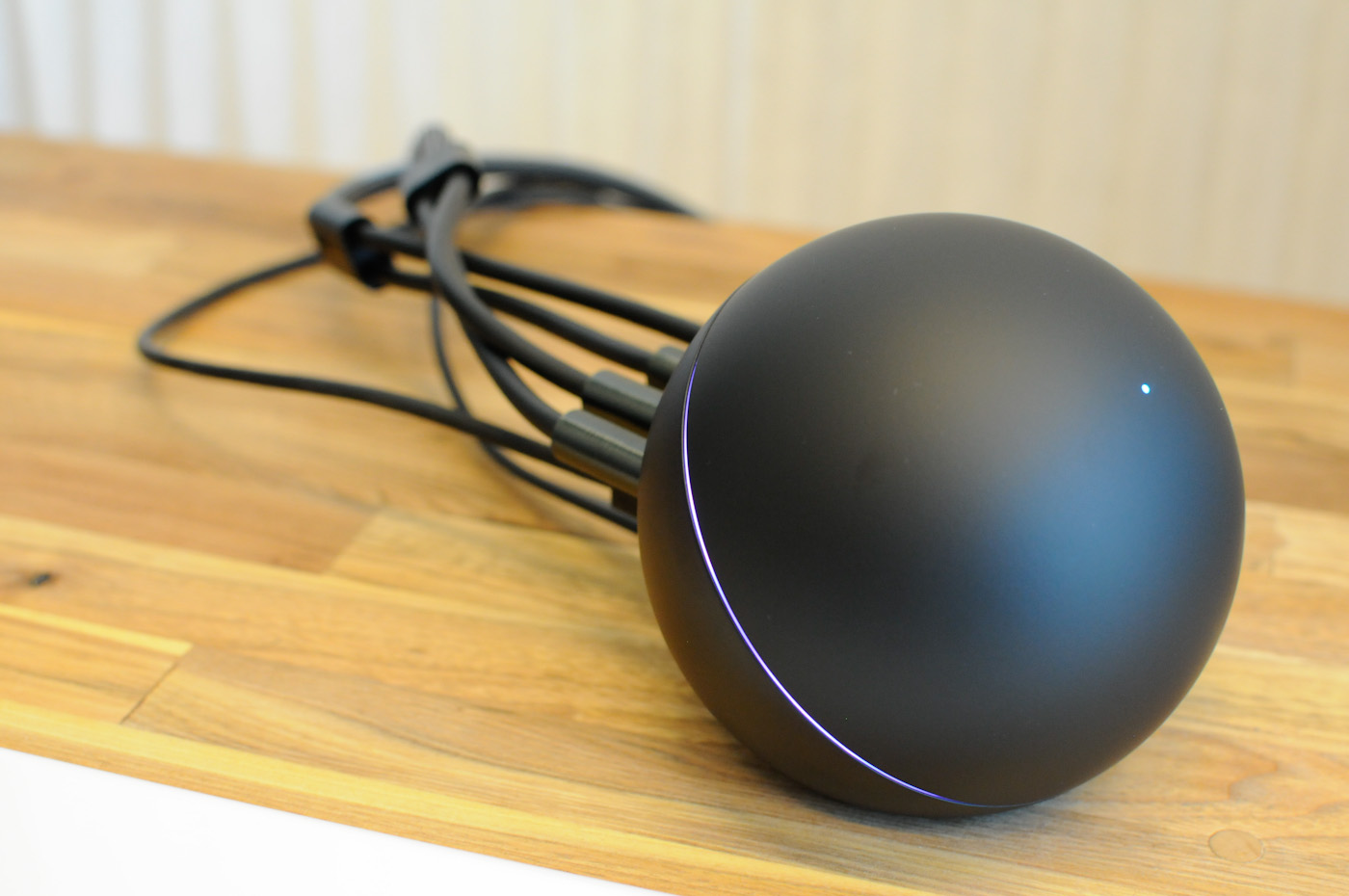
Review|Tutorial|DLNA/AirPlay,The Google Nexus Q & AppleTv Replacement?

Thursday, 15 November 2012

Would you like to have the DLNA/Airplay support for your HDTV?

But you wouldn't want to spent that much to purchase a Nexus Q or AppleTV ?
That maybe more then your budget or maybe you don't really like those?
 
This maybe the solution you are looking for,
In weeks before I reviewed the Neo G4 Pocket Pc by MiniX powered by the RK3066
Which I personally think that it's perfect for the solution because the usability and the features that
Neo G4 that can provide. Within that review I have missed out that the Neo G4 AirPlay & DLNA
that comes handy to all the user of smartphone especially the iOS user.

The OverView


The MiniX Neo G4 Shipped with preloaded AirPlay DMR(May varies) or get the lite version from Google Play here & there's also eHomeMediaCenter(DLNA) preloaded as well.
 

 The WiFi Connectivity

 
With the Optimized and best of the range wifi on the Neo G4,You should get up to 150mbps but with my router are not truly optimized therefore only having 72mbps.(Will update if I get a better range)
With this kind of speed, streaming make easy therefore chances of being delay/lag is very minimal
 

Apps : AirPlay DMR

 
With this apps is designed and optimized by AirPlay DMR for the MiniX.The AirPlay support is no doubt working well with my ipod touch 4g & ipad 2 wifi with video & audio streaming. It's pretty straight forward to use. Just check on the Airplay support you would like to have.You may also
change the Device Name but I will stick with the stock one and not messing it around.

Apps : eHomeMediaCenter


 With this application you not just can stream video,audio&pictures to the device but also reverse
the action and share all the content from your Neo G4.Perfect solution and remember for to select
automatic connection over the setting. 
 

The Device Setup (Android)

As we know on iOS device AirPlay support is primary and doesn't need extra addons
therefore it's a straight forward method and you can stream all your favorite content to your HDTV
AirPlay nor the DLNA is not a "must" include feature on your Android Tablet/Phone
Therefore you need this "UpnPlay".It's free and can be found compatible with wide
selection of device and downloadable via Google Play.

Some device such as the Sony Xperia NXT may have included.

Make Sure that you are connected to the same wireless network as the Neo G4 & Enable WIFI
 
UPnPlay will scan for the device that available for streaming.
The ITV@7 is the AirPlay DMR with the DLNA support & the eHomeMediaCenter option as well.Do select which option to use to proceed
 Select the option that you need and select the local media.
The App will scan for compatible content that able to be stream.
(Note:External storage = USB OTG)
 To add files to the stream playlist just tap on the + sign to add.
This will eventually start streaming
over to the Neo G4.This applies to all content that can be stream over such photos, music, video& other's
I am streaming the HD 720P video Initial D Stage 5 without problem and enjoying it with my friends
on a bigger screen without require to transfer anything to the internal storage of the Neo G4.
With the 1080P Full HD video also doesn't stop this thing to play smoothly
 

Final Words

Pros :
This may not be the best solution but why wasting more money for the Nexus Q and AppleTv
when this little monster can handle all the task for you.
I am using it daily for my home media entertainment and it never let me down or broke down.
 
Android & iOS user can stream their rich content to a bigger screen just a tap away and presented to
everyone around us with blazing fast and smooth wifi connection.All the iOS & Android device that connected can share it's content just like you does with the Nexus Q . Sharing never get easy till this happens :P
 
 It doesn't just capable being a home media center but could do more for gaming purpose with the RK3066 Chipset and best of all it's powered by Android which mean Google Play is ready to serve you will variety of choice of games.

The Power usage is low & with the PMU(Mention this on the NeoG4 Review) this little monster stay cool and reliable.

With this price point I stand by my word it's still value for the money.


Cons:
  1. It's doesn't have audio jack/multimedia jacks that may reduce the quality but there's hdmi 1.4a that should be enough for normal household and entertainment usage.


NEO X5 Should be a bigger improvement towards this sadly we don't have the device meanwhile to review it.


Review(Updated) | MiniX Neo G4 The Pocket Pc Worth For Your Bucks!

Friday, 2 November 2012


If you are looking for a high performance pocket pc or a pendrive sized pc
There's selection from MK802/808,UG802 & Other's
This time i am going to review this yet reasonable and this underdog wants some attention
It's a full review based on all the experience i am using it couple with my experience on pass device
such as MK802II i owned.
It's no more for showing off and no go product by MiniX.
It's now available on the Market
I present you the MiniX Neo G4 powered by the latest RockChip RK3066 with up-to-date specs
It's targeted on the sub-$90 market for high level performance yet cheap and reliable


First Look


 It shipped to me with rather nice packaging not like the MK802 with some plastic box
This looks premium as well.The underneath of the box unveil all the info you need to know about the NEO G4
 When you open the cover of the box you will see a manual book,the Neo G4 & an Ir Remote
 Digging deeper into the box you will find 5V Power Adapter,Micro usb cable & a hdmi male-to-male adapter included.

 Design

 On the right side of Neo G4 
It has a power port and you can connect it to a pc for data/storage transfer
as well as using as an On-The-Go port with a micro sd slot support up to 32b and air vent next to it. 
 On a far end of the stick you will have a USB 2.0 port which is lovely for plugging in your wireless keyboard & other usb devices (Example : Pendrives/External Hard disk)
 While on another end it also has a HDMI female port which is a brilliant idea because not every monitor/tv/display has sufficient play to fit a pocket pc even size like this.
So this enable you to plugin a Hdmi cable instead to connect to your display. So it's hassle free design.Nice job MiniX


 This how the Neo G4 Looks Like When it's connected to an adaptor and ready for the run!

 Performance Test 

For this test i am going to use an industry/market standard benchmark tool (Antutu)

We are rivaling it against the MK802II which's once the best selling pocket pc powered by AllwinnerA10.


Some Detailed Information about the Neo G4 
Showing off it's Dual Core Processor & Quad Mali 400 MP Graphic Processor with 1gb of ram
Provide superb performance overall usability and smoothness that is shown below with the benchmark while running will almost 20 background apps still scoring a massive 5966 with 1080p Resolution versus the the MK802II which only score 2936 without any background apps.

https://fbcdn-sphotos-f-a.akamaihd.net/hphotos-ak-snc7/665834_374466085971063_1455325151_o.png

 Real World Usability & Capability

Benchmark only show half of a story of a device.It doesn't mean that it will perform well in really life condition.


First of all we are looking on the Google Play access,one of major problem of Rockhip & Allwinner product.Most of them has limited access therefore require 3rd party script installation.
With the Neo G4,it has direct full access.I have also tried to buy games (Asphalt 7 Heat) without any problem. It mean a perfect score for the Neo G4


 Next it's the User Interface (UI)
We know that there's lots of replaceable home screen (It's android)
Neo G4 also come back up with own MiniX HomeScreen like XBMC style but we are not looking on it because we are using the stock launcher for this part of review

 Neo G4 come with lot's of preloaded apps which sufficient for all your needs & remember there's still Google Play.All apps fit the screen perfectly and runs well without any problem or force close
 On the other side we have the eHomeMediaCenter.It mean this device also support DLNA from any phones/tablet with DLNA support like the Sony Xperia's
 I would like to say that the custom setting select also straight forward & clear for the user.
This mean the point of simplifying user experience are made possible.
There's also another setting for the user to select on.The AOSP type settings

 Within this setting you can also adjust the screen scale & resolution which suit your connected screen instead

 This option also enable you to fit your screen perfectly without overlapping 
Therefore it's  going to score another point for the Neo G4

Android 4.1 Updates

According to MiniX the update for the Neo G4 Jellybean update is on November
Upgrade also should provide noticable performance different and more patch for stability which is verified by RockChip.This ensure the device is up to date with it capabilities.

Device Temperature

After running it for almost 6 hour's non-stop the device remain around 40 celcius (max) on gaming & videos streaming with some social network.This device dissipated it's heat well and remain cool.This mean less power lost in form of heat and maximized it performance without using more power.This is yet not possible on the MK802II.The temperature climb to almost 68 celcius after 4 hour usages.Therefore this device perform well and remain cool.
Another point for the Neo G4.


Conclusion

It come with nice & premium feel of packaging.First boot up within 15 sec and some little setup & without any hassle.

Neo G4 also comes with latest connectivity with one of market best Wifi Connectivity without any disconnection and support up to 150mbps

.The ports location is well designed around the device for easy access.Performance on the Neo G4 is not show & no go.
It's rockchip RK3066 backed by 1gb ram & latest ICS 4.0.4 perform like no other device out there.

Promised Update to 4.1 Jellybean provide Smooth and run's apps without any lag or slowdown.

As i mentioned i bought the Asphalt 7 Heat & i turn into a shock when first run on it.It doesn't even lag/slow down on Full HD mode(probably Quad Core Mali 400 MP) that help it optimize all the performance. 

Without forgetting that this is designed for the HDTV/LCD usage,it has it own simplified user interface & with the IR Remote work as is should.

8gb Nand with expandable storage also keep this device no way close from out of storage.

With Full Google Play Support mean that there's no apps that you can't get to it.

It also support airplay (Will be update that on full airplay on miniX)

Updated:
Found Out the Amazing speed & connection with hooked up to my belkin N300 router.It hit astonishing 150mbps and after hour's of usage never disconnected like the MK802II

Will all this massive powerhouse inside that should run hot but it remain cool and just fine with also PMU (Power Management Unit) which enable the device run's even with my computer USB port and mean it won't burn the whole system down with uncontrolled power input.

So we have seen how it perform and all the features that the Neo G4 offer's.


For the sub $90 price point this device rather amazing within it performance and usability that not just out perform its rivals but MiniX also design a beast that never left the factory without quality check.

Fair though it's value for money and worth every bang of the bucks you pay for the Neo G4

 
DroidXDA © 2012 | Designed by Bubble Shooter