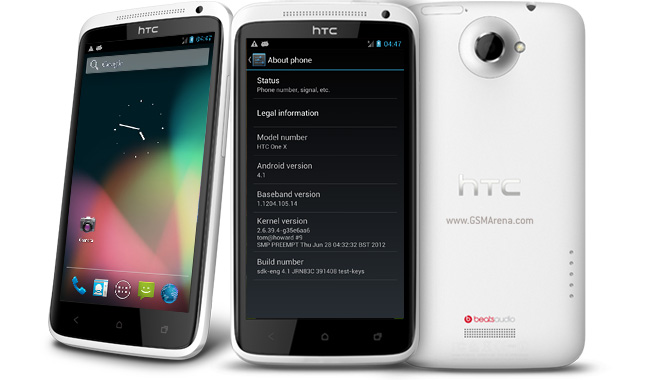
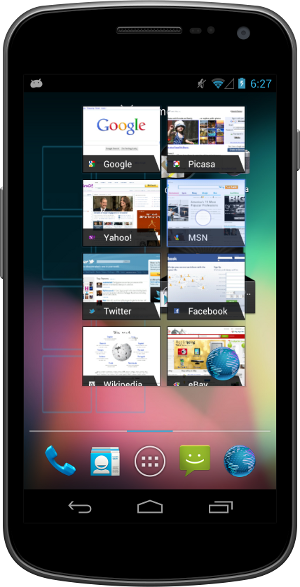
Welcome to Android 4.1, Jelly Bean!
Android 4.1 is the fastest and smoothest version of Android yet. We’ve made improvements throughout the platform and added great new features for users and developers. This document provides a glimpse of what's new for developers.
See the
Android 4.1 APIs document for a detailed look at the new developer APIs,
Android 4.1 is optimized to deliver Android's best performance and lowest touch latency, in an effortless, intuitive UI.
To ensure a consistent framerate, Android 4.1 extends vsync timing across all drawing and animation done by the Android framework. Everything runs in lockstep against a 16 millisecond vsync heartbeat — application rendering, touch events, screen composition, and display refresh — so frames don’t get ahead or behind.
Android 4.1 also adds triple buffering in the graphics pipeline, for more consistent rendering that makes everything feel smoother, from scrolling to paging and animations.
Android 4.1 reduces touch latency not only by synchronizing touch to vsync timing, but also by actually anticipatingwhere your finger will be at the time of the screen refresh. This results in a more reactive and uniform touch response. In addition, after periods of inactivity, Android applies a CPU input boost at the next touch event, to make sure there’s no latency.
Tooling can help you get the absolute best performance out of your apps. Android 4.1 is designed to work with a new tool called systrace, which collects data directly from the Linux kernel to produce an overall picture of system activities. The data is represented as a group of vertically stacked time series graphs, to help isolate rendering interruptions and other issues. The tool is available now in the Android SDK (Tools R20 or higher)

Enhanced Accessibility
New APIs for accessibility services let you handle gestures and manage accessibility focus as the user moves through the on-screen elements and navigation buttons using accessibility gestures, accessories, and other input. The Talkback system and explore-by-touch are redesigned to use accessibility focus for easier use and offer a complete set of APIs for developers.
Accessibility services can link their own tutorials into the Accessibility settings, to help users configure and use their services.
Apps that use standard View components inherit support for the new accessibility features automatically, without any changes in their code. Apps that use custom Views can use new accessibility node APIs to indicate the parts of the View that are of interest to accessibility services.
Support for International Users
Bi-Directional Text and Other Language Support
Android 4.1 helps you to reach more users through support for bi-directional text in TextView and EditText elements. Apps can display text or handle text editing in left-to-right or right-to-left scripts. Apps can make use of new Arabic and Hebrew locales and associated fonts.
Other types of new language support include:
- Additional Indic languages: Kannada, Telugu, and Malayalam
- The new Emoji characters from Unicode version 6.0
- Better glyph support for Japanese users (renders Japanese-specific versions of glyphs when system language is set to Japanese)
- Arabic glyphs optimized for WebViews in addition to the Arabic glyphs for TextViews
- Vertical Text support in WebViews, including Ruby Text and additional Vertical Text glyphs
- Synthetic Bold is now available for all fonts that don't have dedicated bold glyphs
User-installable keymaps
The platform now supports user-installable keyboard maps, such as for additional international keyboards and special layout types. By default, Android 4.1 includes 27 international keymaps for keyboards, including Dvorak. When users connect a keyboard, they can go to the Settings app and select one or more keymaps that they want to use for that keyboard. When typing, users can switch between keymaps using a shortcut (ctrl-space).
You can create an app to publish additional keymaps to the system. The APK would include the keyboard layout resources in it, based on standard Android keymap format. The application can offer additional keyboard layouts to the user by declaring a suitable broadcast receiver for ACTION_QUERY_KEYBOARD_LAYOUTS in its manifest.
New Ways to Create Beautiful UI
Expandable notifications let you dsplay more types of content in your notifications. Users can expand them with a simple gesture.
Expandable notifications
Notifications have long been a unique and popular feature on Android. Developers can use them to place important or time-based information in front of users in the notification bar, outside of the app’s normal UI.
Android 4.1 brings a major update to the Android notifications framework. Apps can now display larger, richer notifications to users that can be expanded and collapsed with a pinch. Notifications supportnew types of content, including photos, have configurable priority, and can even include multiple actions.
Through an improved notification builder, apps can create notifications that use a larger area, up to 256 dp in height. Three templated notification styles are available:
- BigTextStyle — a notification that includes a multiline TextView object.
- BigInboxStyle — a notification the shows any kind of list such as messages, headlines, and so on.
- BigPictureStyle — a notification that showcases visual content such as a bitmap.
In addition to the templated styles, you can create you own notification styles using any remote View.
Apps can add up to three actions to a notification, which are displayed below the notification content. The actions let the users respond directly to the information in the notification in alternative ways. such as by email or by phone call, without visiting the app.
With expandable notifications, apps can give more information to the user, effortlessly and on demand. Users remain in control and can long-press any notification to get information about the sender and optionally disable further notifications from the app.
App Widgets can resize automatically to fit the home screen and load different content as their sizes change.
Resizable app widgets
Android 4.1 introduces improved App Widgets that can automatically resize, based on where the user drops them on the home screen, the size to which the user expands them, and the amount of room available on the home screen. New App Widget APIs let you take advantage of this tooptimize your app widget content as the size of widgets changes.
When a widget changes size, the system notifies the host app’s widget provider, which can reload the content in the widget as needed. For example, a widget could display larger, richer graphics or additional functionality or options. Developers can still maintain control over maximum and minimum sizes and can update other widget options whenever needed.
You can also supply separate landscape and portrait layouts for your widgets, which the system inflates as appropriate when the screen orientation changes.
App widgets can now be displayed in third party launchers and other host apps through a new bind Intent (AppWidgetManager.ACTION_APPWIDGET_BIND).
Simplified task navigation
Android 4.1 makes it easy for you to manage the “Up” navigation that’s available to users from inside of your apps and helps ensure a consistent experience for users.
You can define the intended Up navigation for individual Activity components of your UI by adding a new XML attribute in the app’s manifest file. At run time, as Activities are launched, the system extracts the Up navigation tree from the manifest file and automatically creates the Up affordance navigation in the action bar. Developers who declare Up navigation in the manifest no longer need to manage navigation by callback at run time, although they can also do so if needed.
Also available is a new TaskStackBuilder class that lets you quickly put together a synthetic task stack to start immediately or to use when an Activity is launched from a PendingIntent. Creating a synthetic task stack is especially useful when users launch Activities from remote views, such as from Home screen widgets and notifications, because it lets the developer provide a managed, consistent experience on Back navigation.
Easy animations for Activity launch
You can use a new helper class, ActivityOptions, to create and control the animation displayed when you launch your Activities. Through the helper class, you can specify custom animation resources to be used when the activity is launched, or request new zoom animations that start from any rectangle you specify on screen and that optionally include a thumbnail bitmap.
Transitions to Lights Out and Full Screen Modes
New system UI flags in View let you to cleanly transition from a normal application UI (with action bar, navigation bar, and system bar visible), to "lights out mode" (with status bar and action bar hidden and navigation bar dimmed) or "full screen mode" (with status bar, action bar, and navigation bar all hidden).
New types of remoteable Views
Developers can now use GridLayout and ViewStub views in Home screen widgets and notifications. GridLayout lets you structure the content of your remote views and manage child views alignments with a shallower UI hierarchy. ViewStub is an invisible, zero-sized View that can be used to lazily inflate layout resources at runtime.
Live wallpaper preview
Android 4.1 makes it easier for users to find and install Live Wallpapers from apps that include them. If your app includes Live Wallpapers, you can now start an Activity (ACTION_CHANGE_LIVE_WALLPAPER) that shows the user a preview of the Live Wallpaper from your own app. From the preview, users can directly load the Live Wallpaper.
Higher-resolution contact photos
With Android 4.1, you can store contact photos that are as large as 720 x 720, making contacts even richer and more personal. Apps can store and retrieve contact photos at that size or use any other size needed. The maximum photo size supported on specific devices may vary, so apps should query the built-in contacts provider at run time to obtain the max size for the current device.
Find out about devices being added and removed
Apps can register to be notified when any new input devices are attached, by USB, Bluetooth, or any other connection type. They can use this information to change state or capabilities as needed. For example, a game could receive notification that a new keyboard or joystick is attached, indicating the presence of a new player.
Query the capabilities of input devices
Android 4.1 includes APIs that let apps and games take full advantage of all input devices that are connected and available.
Apps can query the device manager to enumerate all of the input devices currently attached and learn about the capabilities of each.
Control vibrator on input devices
Among other capabilities, apps can now make use of any vibrator service associated with an attached input device, such as for Rumble Pak controllers.
Animation and Graphics
Vsync for apps
Extending vsync across the Android framework leads to a more consistent framerate and a smooth, steady UI. So that apps also benefit, Android 4.1 extends vsync timing to all drawing and animations initiated by apps. This lets them optimize operations on the UI thread and provides a stable timebase for synchronization.
Apps can take advantage of vsync timing for free, through Android’s animation framework. The animation framework now uses vsync timing to automatically handle synchronization across animators.
For specialized uses, apps can access vsync timing through APIs exposed by a new Choreographer class. Apps can request invalidation on the next vsync frame — a good way to schedule animation when the app is not using the animation framework. For more advanced uses, apps can post a calllback that the Choreographer class will run on the next frame.
New animation actions and transition types
The animation framework now lets you define start and end actions to take when running ViewPropertyAnimator animations, to help synchronize them with other animations or actions in the application. The action can run any runnable object. For example, the runnable might specify another animation to start when the previous one finishes.
You can also now specify that a ViewPropertyAnimator use a layer during the course of its animation. Previously, it was a best practice to animate complicated views by setting up a layer prior to starting an animation and then handling an onAnimationEnd() event to remove the layer when the animation finishes. Now, the withLayer() method on ViewPropertyAnimator simplifies this process with a single method call.
A new transition type in LayoutTransition enables you to automate animations in response to all layout changes in a ViewGroup.
New Types of Connectivity
Android Beam
Android Beam is a popular NFC-based technology that lets users instantly share, just by touching two NFC-enabled phones together.
In Android 4.1, Android Beam makes it easier to share images, videos, or other payloads by leveraging Bluetooth for the data transfer. When the user triggers a transfer, Android Beam hands over from NFC to Bluetooth, making it really easy to manage the transfer of a file from one device to another.
Wi-fi Network Service Discovery
Android 4.1 introduces support for multicast DNS-based service discovery, which lets applications find and connect to services offered by peer devices over Wi-Fi networks — including mobile devices, printers, cameras, media players, and others. Developers can take advantage of Wi-Fi network service discovery to build cross-platform or multiplayer games and application experiences.
Using the service discovery API, apps can create and register any kind of service, for any other NSD-enabled device to discover. The service is advertised by multicast across the network using a human-readable string identifier, which lets user more easily identify the type of service.
Consumer devices can use the API to scan and discover services available from devices connected to the local Wi-Fi network. After discovery, apps can use the API to resolve the service to an IP adress and port through which it can establish a socket connection.
You can take advantage of this API to build new features into your apps. For example, you could let users connect to a webcam, a printer, or an app on another mobile device that supports Wi-Fi peer-to-peer connections.
Wifi-Direct Service Discovery
Ice Cream Sandwich introduced support for Wi-Fi Direct, a technology that lets apps discover and pair directly, over a high-bandwidth peer-to-peer connection. Wi-Fi Direct is an ideal way to share media, photos, files and other types of data and sessions, even where there is no cell network or Wi-Fi available.
With Jelly Bean, Android takes Wi-Fi Direct further, adding API support for pre-associated service discovery. Pre-associated service discovery lets your apps get more useful information from nearby devices about the services they support, before they attempt to connect. Apps can initiate discovery for a specific service and filter the list of discovered devices to those that actually support the target service or application.
For example, this means that your app could discover only devices that are “printers” or that have a specific game available, instead of discovering all nearby Wi-Fi Direct devices. On the other hand, your app can advertise the service it provides to other devices, which can discover it and then negotiate a connection. This greatly simplifies discovery and pairing for users and lets apps take advantage of Wi-Fi Direct more effectively.
With Wi-Fi Direct service discovery, you can create apps and multiplayer games that can share photos, videos, gameplay, scores, or almost anything else — all without requiring any Internet or mobile network. Your users can connect using only a direct p2p connection, which avoids using mobile bandwidth.
Network Bandwidth Management
Android 4.1 helps apps manage data usage appropriately when the device is connected to a metered network, including tethering to a mobile hotspot. Apps can query whether the current network is metered before beginning a large download that might otherwise be relatively expensive to the user. Through the API, you can now get a clear picture of which networks are sensitive to data usage and manage your network activity accordingly.
Media codec access
Android 4.1 provides low-level access to platform hardware and software codecs. Apps can query the system to discover what low-level media codecs are available on the device and then and use them in the ways they need. For example, you can now create multiple instances of a media codec, queue input buffers, and receive output buffers in return. In addition, the media codec framework supports protected content. Apps can query for an available codec that is able to play protected content with a DRM solution available on the the device.
USB Audio
USB audio output support allows hardware vendors to build hardware such as audio docks that interface with Android devices. This functionality is also exposed with the Android Open Accessory Development Kit (ADK) to give all developers the chance to create their own hardware.
Audio record triggering
Android now lets you trigger audio recording based on the completion of an audio playback track. This is useful for situations such as playing back a tone to cue your users to begin speaking to record their voices. This feature helps you sync up recording so you don’t record audio that is currently being played back and prevents recordings from beginning too late.
Multichannel audio
Android 4.1 supports multichannel audio on devices that have hardware multichannel audio out through the HDMI port. Multichannel audio lets you deliver rich media experiences to users for applications such as games, music apps, and video players. For devices that do not have the supported hardware, Android automatically downmixes the audio to the number of channels that are supported by the device (usually stereo).
Android 4.1 also adds built-in support for encoding/decoding AAC 5.1 audio.
Audio preprocessing
Developers can apply preprocessing effects to audio being recorded, such as to apply noise suppression for improving speech recording quality, echo cancellation for acoustic echo, and auto gain control for audio with inconsistent volume levels. Apps that require high quality and clean audio recording will benefit from these preprocessors.
Audio chaining
MediaPlayer supports chaining audio streams together to play audio files without pauses. This is useful for apps that require seamless transitions between audio files such as music players to play albums with continuous tracks or games.
The new APIs MediaRouter, MediaRouteActionProvider, and MediaRouteButton provide standard mechanisms and UI forchoosing where to play media. Support is built-in for wired headsets and a2dp bluetooth headsets and speakers, and you can add your own routing options within your own app.
Renderscript Computation
Android 4.1 extends Renderscript computation to give you more flexibility. You can now sample textures in your Renderscript compute scripts, and new pragmas are available to define the floating point precision required by your scripts. This lets you enable NEON instructions such as fast vector math operations on the CPU path, that wouldn’t otherwise be possible with the full IEEE 754-2008 standard.
You can now debug your Renderscript compute scripts on x86-based emulator and hardware devices. You can also define multiple root-style kernels in a single Renderscript source file.
Android Browser and WebView
In Android 4.1, the Android Browser and WebViews include these enhancements:
- Better HTML5 video user experience, including touch-to-play/pause and smooth transition from inline to full screen mode.
- Improved rendering speed and reduced memory usage for better scrolling and zooming performance.
- Improved HTML5/CSS3/Canvas animation performance.
- Improved text input.
- Updated JavaScript Engine (V8) for better JavaScript performance.
- Support for the updated HTML5 Media Capture specification (the "capture" attribute on input type=file elements).
Google APIs and services
To extend the capabilities of Android even further, several new services for Android are available.
Google Cloud Messaging for Android
Google Cloud Messaging (GCM) is a service that lets developers send short message data to their users on Android devices, without needing a proprietary sync solution.
GCM handles all the details of queuing messages and delivering them efficiently to the targeted Android devices. It supports message multicasting and can reach up to 1000 connected devices simultaneously with a single request. It also supports message payloads, which means that in addition to sending tickle messages to an app on the device, developers can send up to 4K of data.
Google Cloud Messaging is completely
free for all developers and sign-up is easy. See the
Google Cloud Messaging page for registration, downloads, and documentation.
App Encryption
Starting with Android 4.1, Google Play will help protect application assets by encrypting all paid apps with a device-specific key before they are delivered and stored on a device.
Smart App Updates
Smart app updates is a new feature of Google Play that introduces a better way of delivering app updates to devices. When developers publish an update, Google Play now delivers only the bits that have changed to devices, rather than the entire APK. This makes the updates much lighter-weight in most cases, so they are faster to download, save the device’s battery, and conserve bandwidth usage on users’ mobile data plan. On average, a smart app update is about 1/3 the sizeof a full APK update.
Google Play services (coming soon)
Google Play services helps developers to integrate Google services such as authentication and Google+ into their apps delivered through Google Play.
Google Play services will be automatically provisioned to end user devices by Google Play, so all you need is a thin client library in your apps.
Because your app only contains the small client library, you can take advantage of these services without a big increase in download size and storage footprint. Also, Google Play will deliver regular updates to the services, without developers needing to publish app updates to take advantage of them.
For more information about the APIs included in Google Play Services, see the
Google Play Services developer page.